请使用微信扫描此二维码

您微信暂未注册或绑定账号

注册账号

绑定账号
立即注册
584881
关注度
27
评论量

SUAPP AIR

SUAPP AIR
5
(27)
版本: 4.0.1.1219 安装
插件信息
评分:
5
 (27)
插件分类
Render Tools
发布者:
麦兜
发布日期:
2023-4-22 21:34
更新日期:
2025-12-11 16:23
当前版本:
4.0.1.1219
功能项数量:
1
文件大小:
279.71 KB
说明
SUAPP AIR, also known as AI Render, is an AI art inspiration renderer developed by SUAPP specifically for designers, reshaping the productivity standards of design visualization. It can quickly generate "inspiration rendering images" to assist in the expression of schemes by simply adjusting parameters, which can be applied to intention maps, conceptual scheme maps, and post production renderings. It is not a traditional renderer, but it can completely replace traditional renderers and quickly improve the efficiency of the design process. Inspiration rendering fully supports urban, architectural, landscape, interior design, as well as color leveling, handmade models, and hand drawn illustrations. With the highly evolved AI ability to reproduce model materials and control details, it seamlessly integrates into the entire design process, truly empowering the entire process from inspiration to implementation.

Currently, over 3000 design institutes and agencies worldwide are using inspiration rendering.

【 Usage 】
1、 Using
in SketchUp1. Download and install SUAPP (cloud version): https://www.suapp.com/download
2. Launch the SUAPP in SketchUp, log in to your account, and haveSUAPP AI memberscan use online creation, with the same functionality as the client.
Open and log in to your account on a computer, tablet, or mobile browser, and use it. Web address: https://ai.suapp.com

[Attempt to join the group]
The WeChat official account "SketchUp Bar" sends a message: if you try, you can join the official exchange group. Or scan the code in the "Online Consultation" section on the right to add friends to the group.


What can inspiration rendering do and what can it be used for? Workflow:
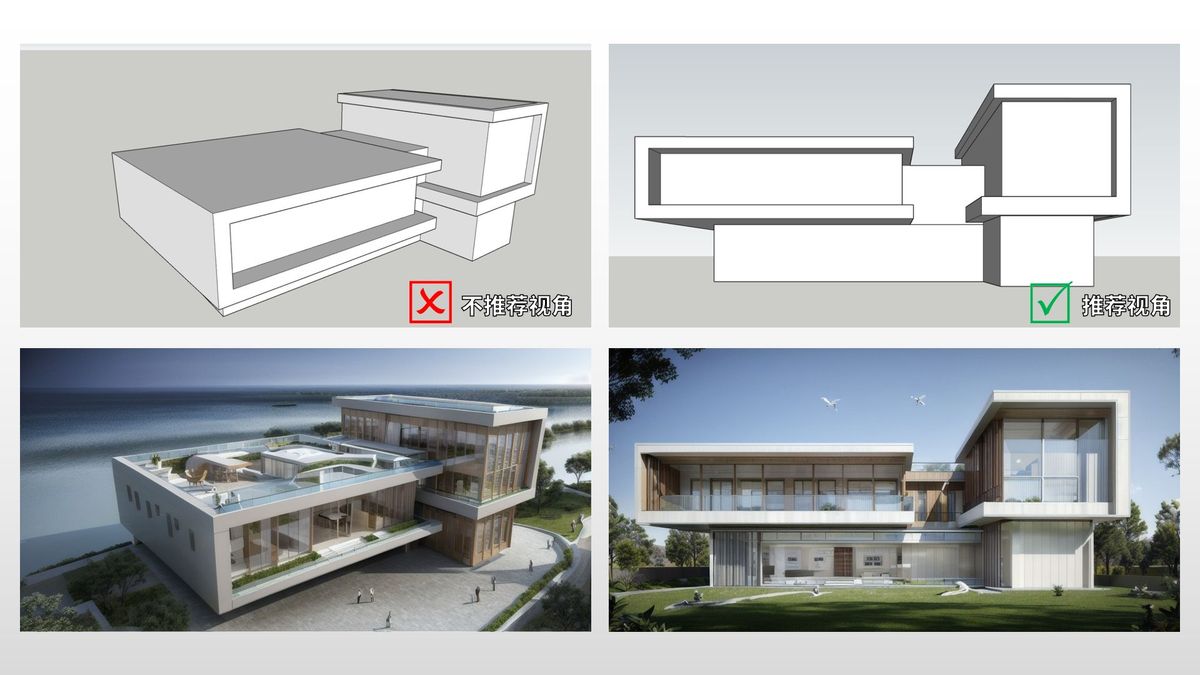
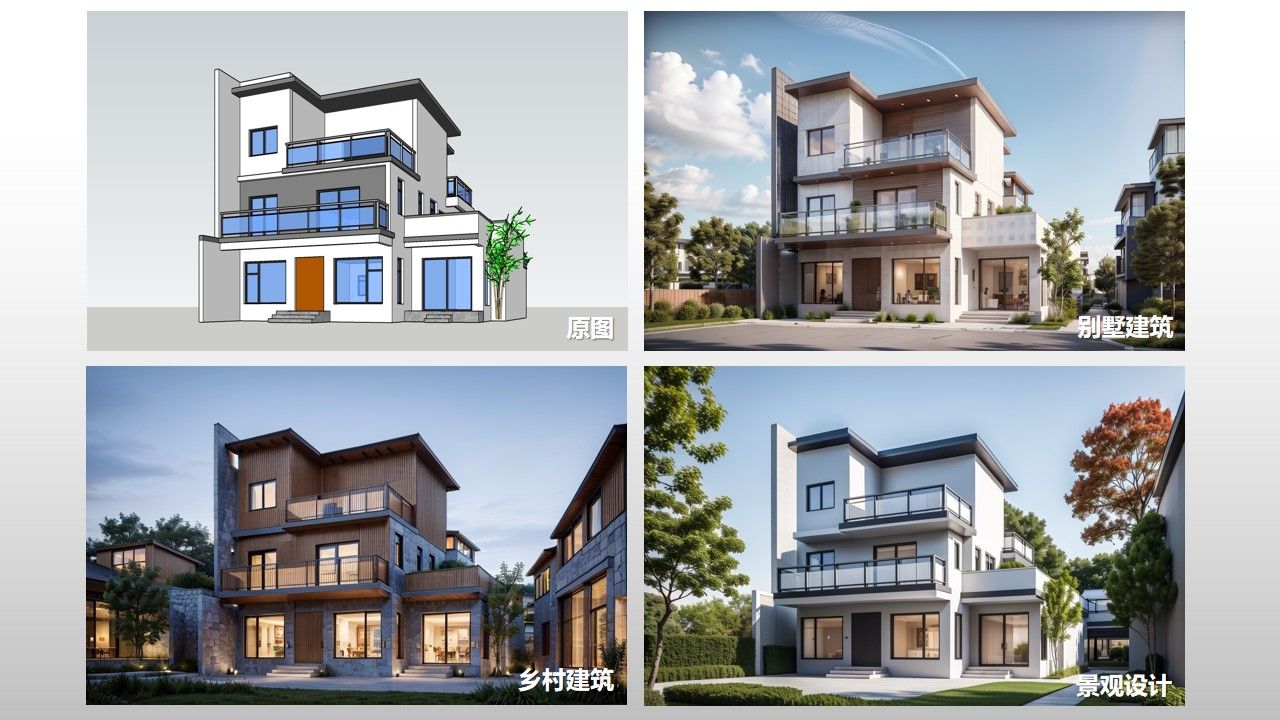
Inspiration rendering can create any sketch, photo, model, or even rendering, generating creative and accurate conceptual images.
★ Auxiliary Scheme Refinement - When you only have a few major directions in hand, SUAPP Inspiration Rendering can instantly generate multiple sets of design prototypes, helping you determine which ideas are worth further deepening and saving a lot of trial and error time.
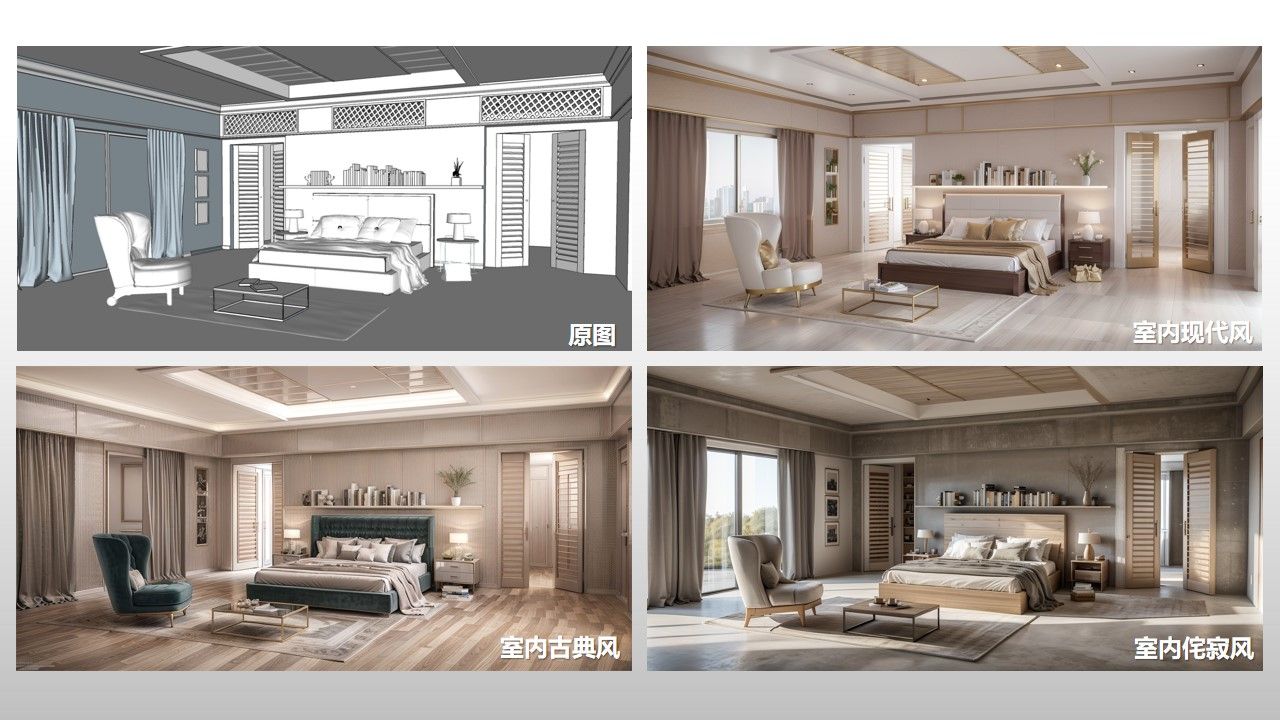
★ Generate Conceptual Scheme Diagram - Both draft and sketch can directly render conceptual renderings without the need for precision modeling or long rendering time. Generate conceptual renderings in 10 seconds that can be used for reporting, communication, and brainstorming. The first party and leaders are more likely to understand you.
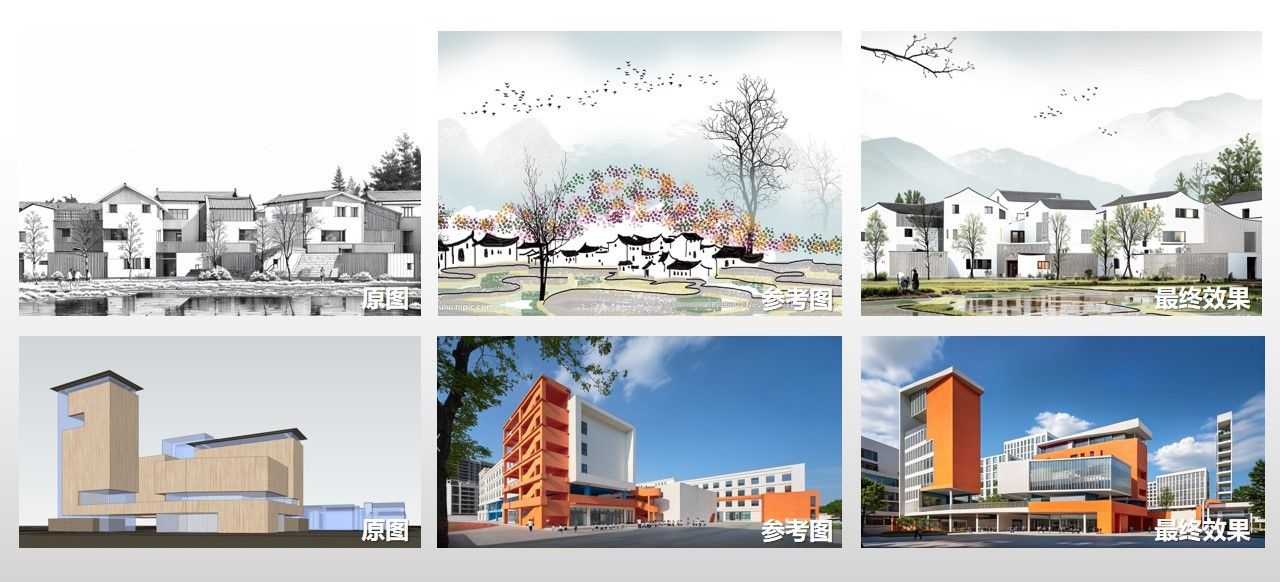
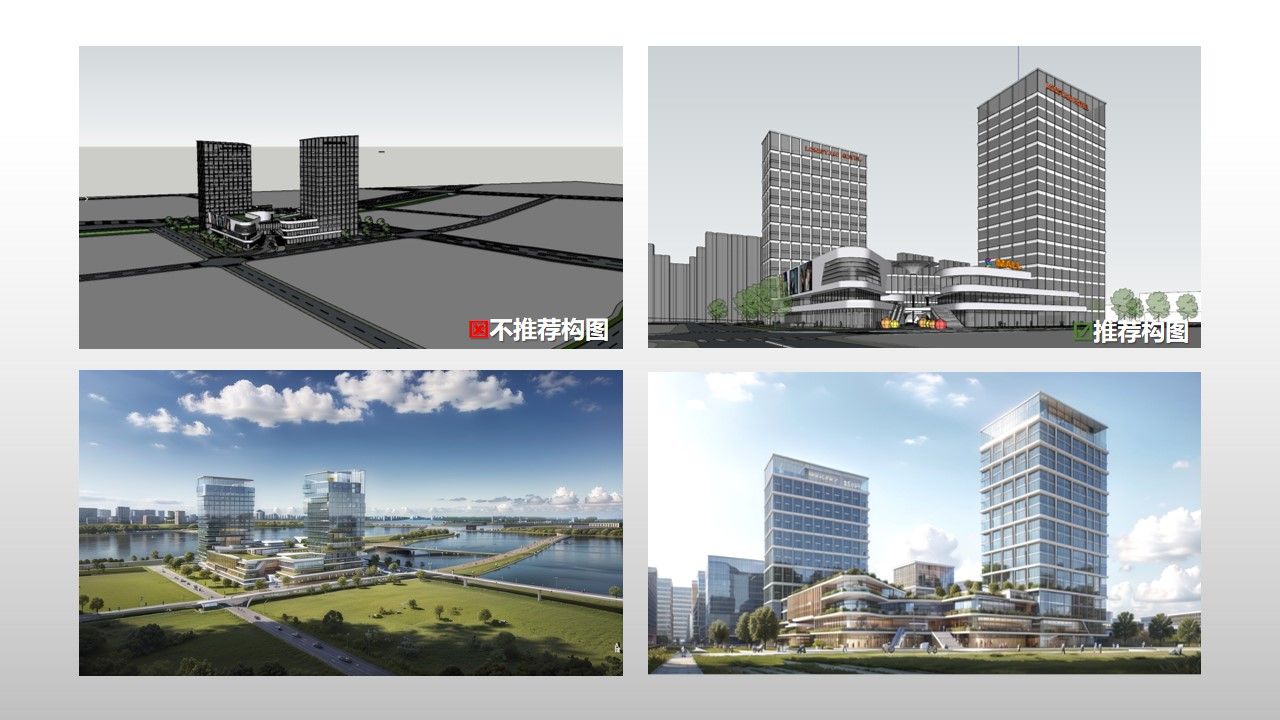
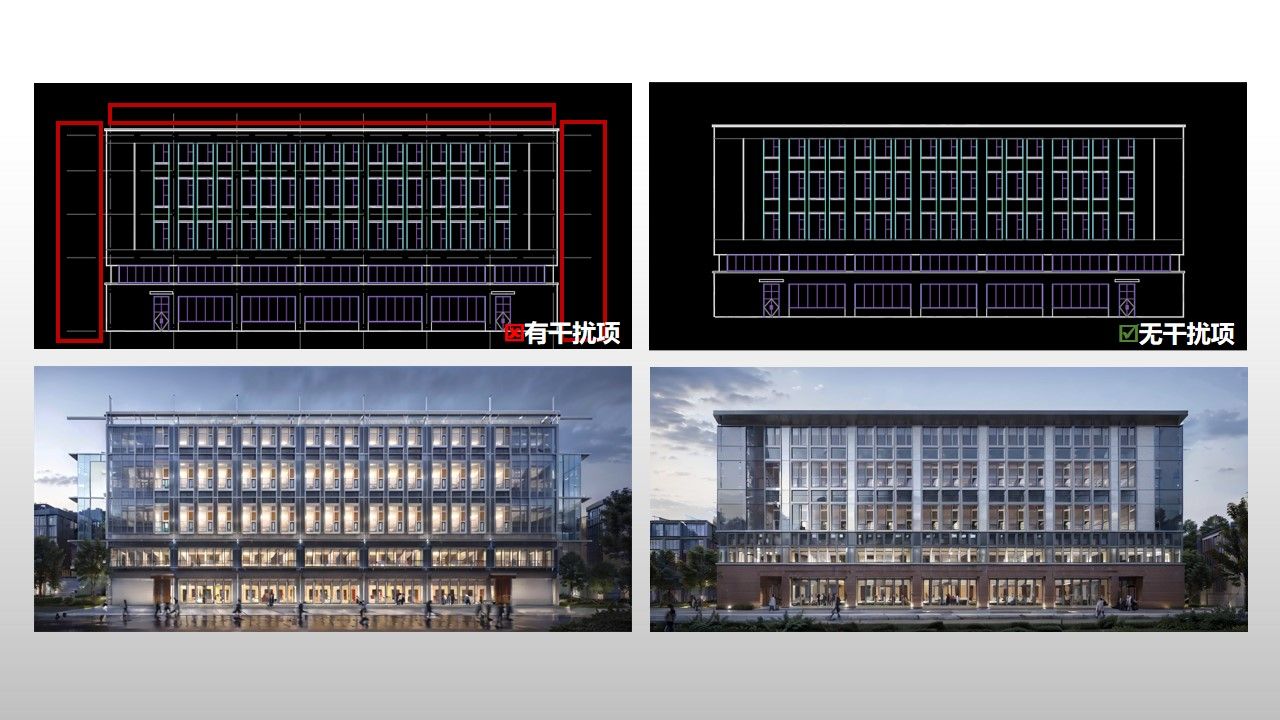
★ Accurate rendering of post production renderings - The already designed precision modeling scheme can be rendered with one click in the inspiration rendering to accurately represent the original scheme and automatically optimize lighting, materials, and scenery.
★ Precise optimization of image cleaning - If you are not satisfied with the effect produced by other renderers, you can use inspiration to render and clean the image, making the material light and shadow more realistic and the effect more infectious.
★ Generate renderings and scenery - Only rendering and generating partial effect scenery is a common feature used by many designers.
★ Generate Drawing Library - You can freely switch between angles, seasons, weather, and time to add different expressiveness to your drawings.
★ Generate design display boards and analysis diagrams - With the already completed plan effects, design display boards and a series of analysis diagrams can be generated with just one click, completing several days of text work in just a few seconds.
……

Advantages of Inspiration Rendering:
1. Cloud plugin rendering has no requirements for computer configuration and can be used with internet connectivity.
2. Cloud based GPU servers perform high-speed computing without occupying local graphics cards or storage space. An average of 20 seconds to generate a graph is a stable high-speed productivity.
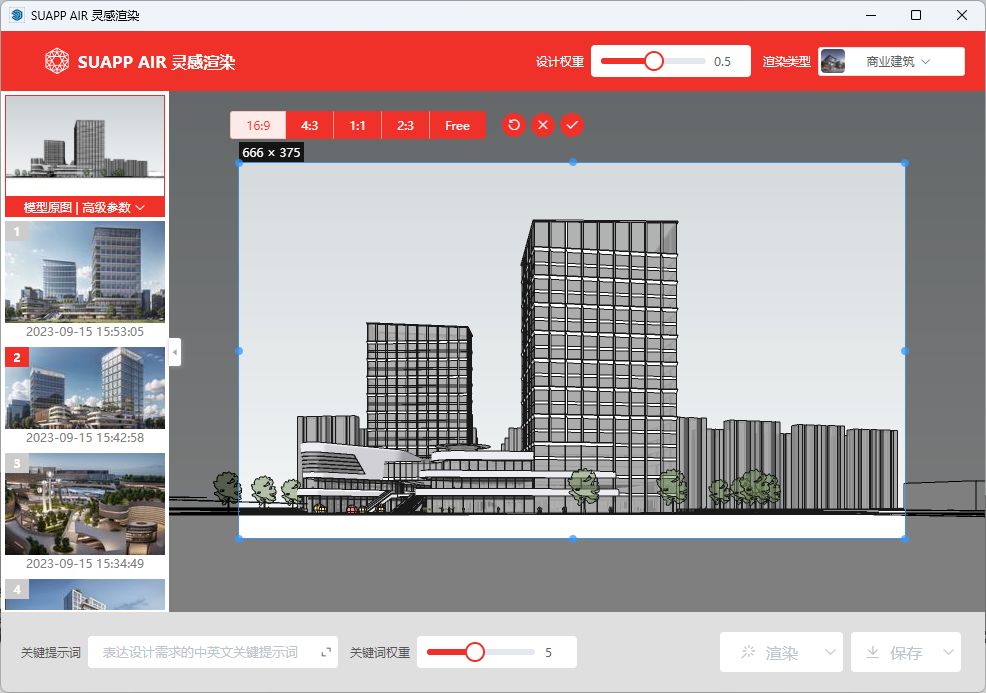
3. The operation is very simple, with three steps: direct mapping, selecting rendering type and style, and rendering. There is no need for complex keyword spells, and you can get started with it through a simple operation interface.
4. The effect is more professional, the design language is better understood, the spatial reproduction is strong, and it ensures that the generated image can be implemented.
5. Seamless integration of native workflows, directly embedded in the SketchUp environment, achieving a one-stop closed loop of "modeling rendering solution replacement".
6. Supports ultra clear 8K+image output, fully meeting the design industry's image output needs.
7. Comes with thousands of ready-made types, styles, and functions.

The basic functions of inspiration rendering can be explained in detail: https://ai.suapp.com/air-help
Comes with hundreds of great rendering style types, and is still being added gradually.
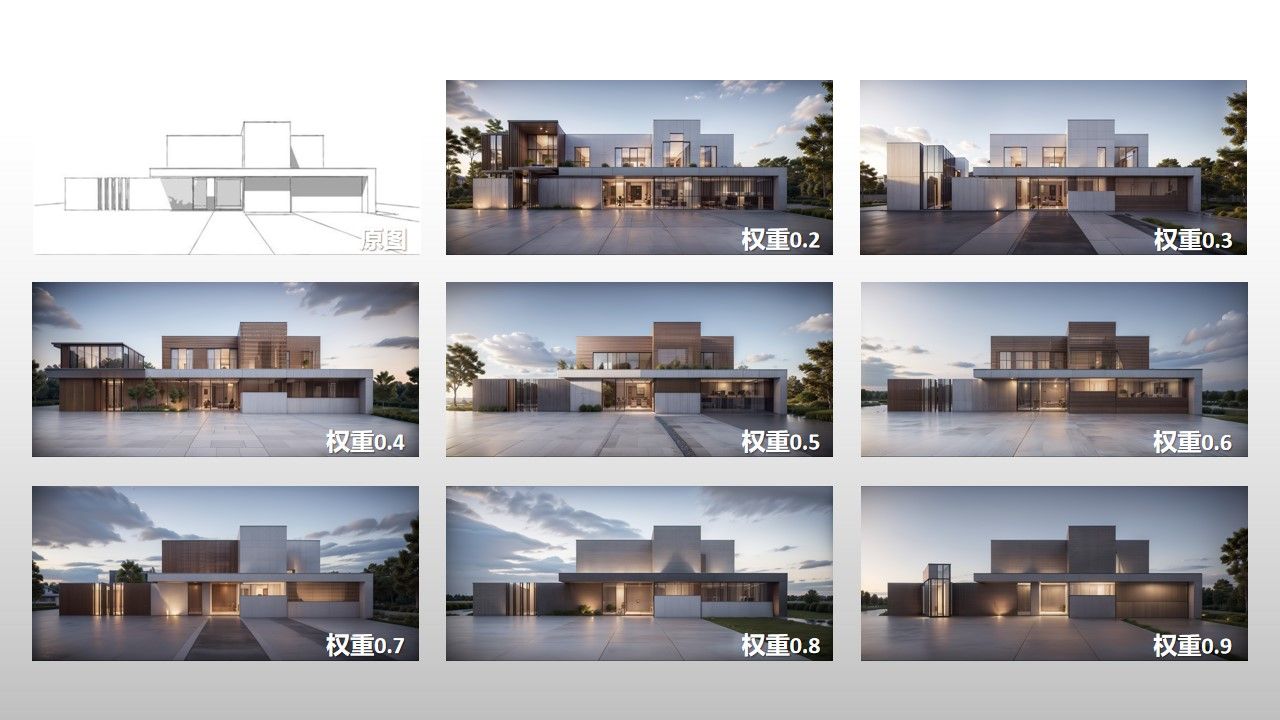
Design weight - default is 0.5. The lower the design weight, the more AI can perform and the richer the scene. The higher the weight, the less AI can perform and the more monotonous the scene.
● Rendering history - batch management, saving, deleting, etc.
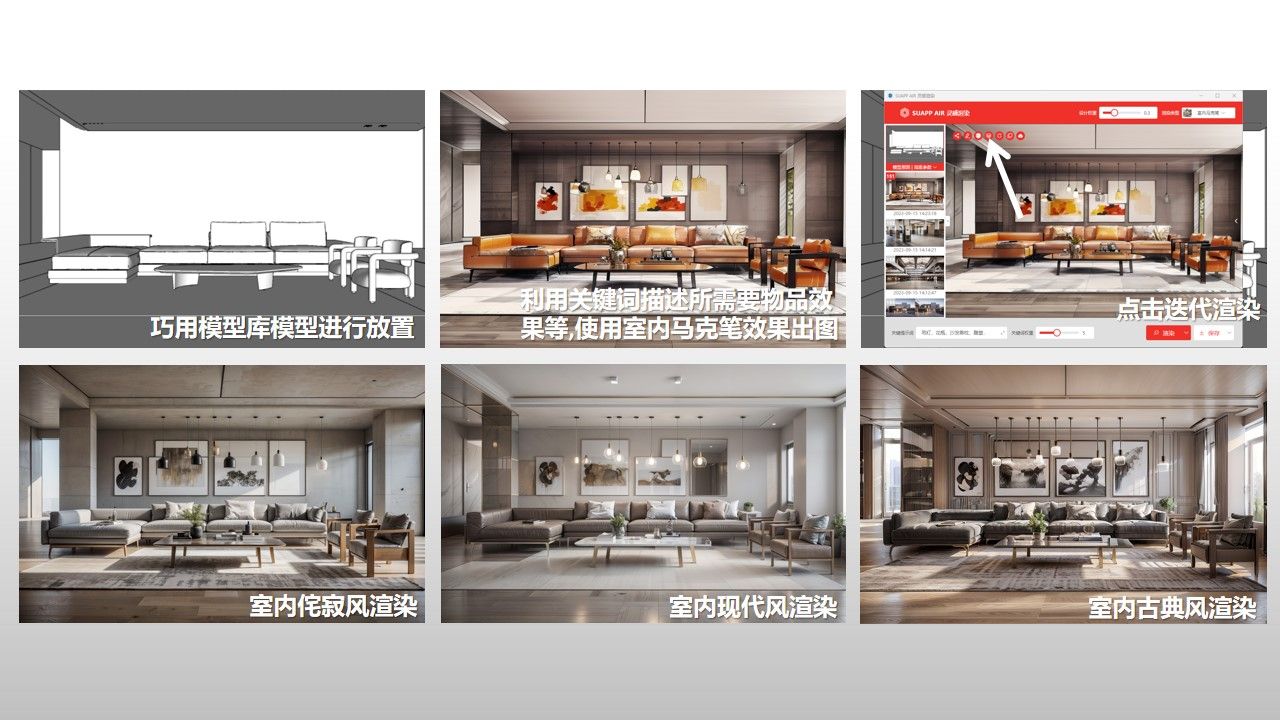
Keywords - You can use desired descriptive words to assist in controlling rendering results, and adjust keyword weights.
Reference Image - An intended reference image can be added below the original image, and the rendered result will have its own reference image style.
● Send to SketchUp - Automatically match photos with the current model, use rendering results to deduce designs, and assist in modeling solutions.
Iterative rendering - render the current rendering result as the original image again.
Comparison and Sharing - Automatically combine the original image and rendered image into a comparison image, and include rendering parameters for easy sharing.
Lock in Inspiration - When changing input images from different angles, maintain the current style and minimize changes.
Lock material - render according to the original material as much as possible, suitable for fine models with rich materials, unfinished renderings, etc.
Batch production of images - When high-definition is turned off, 4 images can be produced in bulk.
● Ultra clear Save - When saving images, you can choose between ultra clear large images and lossless enlargement. The resolution of ultra clear large images is 4K-8K, with a maximum of 8K+.
Functions in editing mode:
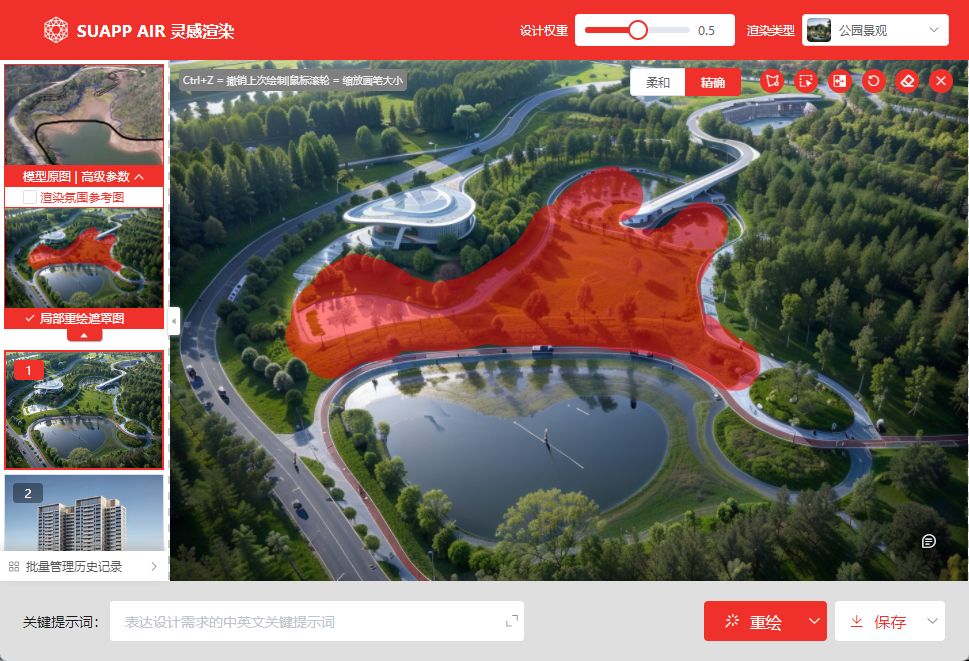
Brush Tool - Roughly apply the desired local area in the image to determine the redrawn selection.
● Lasso selection - flexibly drag and drop to draw polygon lasso to determine the redrawn selection area, allowing for fine node control of boundaries.
Quick Selection - Quickly identify complete objects and areas in the image, hover over and click OK to redraw the selected area.
Accurate recognition - automatically identify precise objects and regions in the image, click on different color blocks to determine the redrawn selection area.
Real time selection - without the need for pre recognition of images, objects and regions can be selected or boxed in real-time, or excluded through email clicks.
Reset Selection - Remove the selection mask.
Embedding everything - using AI technology to intelligently add spatial lighting effects to images, enhancing the rendering atmosphere and realism of the images.
Image collage - Quickly import PNG material images such as furniture/decorations/characters/scenery, adjust the size, position, and orientation, and render them to generate.
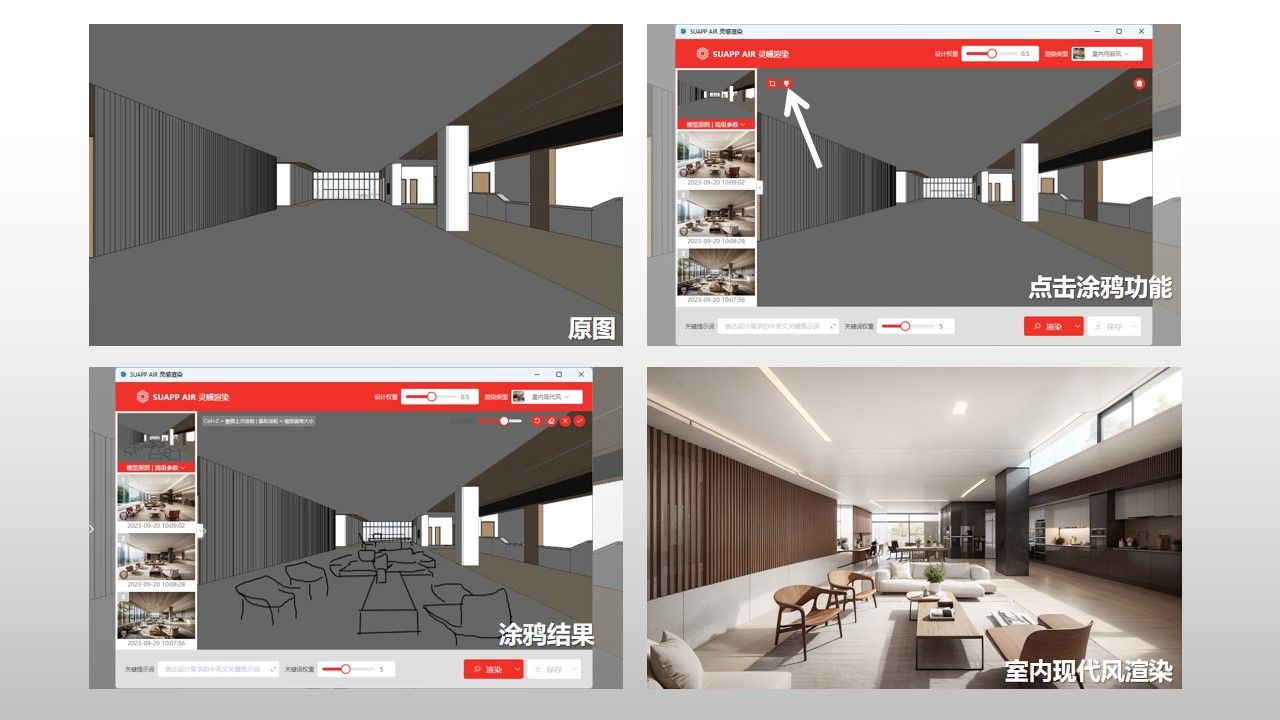
Graffiti Hand Drawing - Simple hand drawn line sketches can be used to add new content to the image, combined with redrawing selection areas for local modifications and additions.
Magic Elimination - Easily erase unwanted objects, text, or watermarks in the image, while keeping the background intact.
● Character Restoration - One click recognition and restoration of less than ideal background character images in images, making them clearer and more natural.
Spatial lighting - while preserving object features as much as possible, it can only be implanted into designated positions in the image.
● Remove Background - Accurately identify the subject objects in the image, automatically isolate and remove the background, while preserving the fine edges of the objects.
Material Replacement - Upload a material map or select a map from the material library, click on the redraw selection to replace it.
Atmosphere transfer - while retaining the original image content, intelligently transfer the color tone and atmosphere of the reference image.
Style reference - based on the original image content, intelligently integrate the painting style and design style of the reference image.
Ultra clear enhancement - One click increase in image clarity to ultra clear picture quality, enhance image details, and repair damaged elements.
Lossless enlargement - One click enlargement of the image size to twice the original image, while minimizing the loss of image details and elements.
Expand and fill - drag the control points at the four corners of the image frame to expand, and intelligently complete and generate based on the original image content.
Size cropping - Drag the control points at the four corners of the frame to crop, remove excess content from the image, and re compose it.

For more demonstration videos, you can follow the "SketchUp Bar" WeChat video number, Station B, Tiktok, Little Red Book and other platforms.


SUAPP AIR(SUAPP AIR)
动画教程
Click to obtain a screenshot of the current model, set parameters, click to render, and wait for completion.
标签:灵感 渲染
开发者:SUAPP  访问开发者网站>  
版本4.0.1.1219新增功能
线上即时更新!关注微信群掌握更新资讯!
功能屏幕截图
应用实例
  •  SUAPP灵感渲染详细介绍+教程

    SUAPP灵...

  • 双曲线教堂

    双曲线教堂...

用户评论
瞬息千里   评论时间:2023-7-3 14:19  
5

真的太好用了,想怎么渲就怎么渲,渲到满意为止

万剑归一   评论时间:2023-7-3 14:07  
5

实际用下来是非常有帮助的AI插件,操作简单上手很快,对电脑配置要求也不高,入手SUAPP真的不亏!

suappai935   评论时间:2023-6-30 14:48  
5

该说不说,用了这么多AI产品,其他的都是啥啊?这家的AI最牛,虽然大家都说建筑效果最好,我还是觉得室内效果一绝,根本不是其他产品可以比的!希望可以越来越好!

搞建筑的小学鸡   评论时间:2023-5-10 10:18  
5

爱了,虽然说还是刚出来的功能,但是至少SUAPP把这个想法加进去了,就意味着以后慢慢成熟完善了,做图方便太多了。SUAPP良心插件

wingless   评论时间:2023-4-24 11:33  
5

未来可期。

注意:只有您使用了该插件才能进行评论。


点击星星评分:
您的评论内容:
我的插件库
该发布者的更多内容:
麦兜
4.7
(13)
麦兜
2.8
(4)
查看此扩展插件的用户还查看了:
3.7
(6)
麦兜
4.7
(10)
排山倒海
5
(1)
麦兜
4.7
(13)
安装此扩展插件的用户还安装了:
排山倒海
5
(3)
排山倒海
5
(3)

线

在线咨询
小P在线时间周一至周五9:00-18:00,下班时间请先查看常见问题↑↑
微信扫码联系我们

微信扫码联系我们

扫码关注
建模无敌

SUAPP插件库| 简体中文|繁體中文|English Version|

Copyright © 2008 - 2020 SUAPP插件库 All rights reserved. ( 蜀ICP备19001322号-4 )

GMT+8, 2025-12-17 12:03 , Processed in 0.031088 second(s), 6 queries , Gzip On, MemCache On.

返回顶部